
Friday, March 31, 2017

Tuesday, March 7, 2017
Wednesday, January 4, 2017
Fall CUE 2016
So, I am no longer a 6th grade teacher, but until I change that blog header, we are gonna roll with it. Here are my most recent adventures at Fall CUE.
 Have you seen Dave Burgess speak? If you haven’t, you should. I sat in the auditorium with my free coffee and few amazing colleagues while I absorbed every ounce of inspiration Dave provided in his pirate attire. He reminded everyone in the room why we became teachers and energized us to teach more like a pirate. If you aren’t familiar with him yet, check out his website at daveburgess.com.

November, 2016
Fall CUE 2016
By Meghan Cannon
My day started with coffee. But this time, is was free coffee! A teacher’s dream. I had arrived at American Canyon High School for Fall CUE, 2016, and boy was it delicious.
 Have you seen Dave Burgess speak? If you haven’t, you should. I sat in the auditorium with my free coffee and few amazing colleagues while I absorbed every ounce of inspiration Dave provided in his pirate attire. He reminded everyone in the room why we became teachers and energized us to teach more like a pirate. If you aren’t familiar with him yet, check out his website at daveburgess.com.
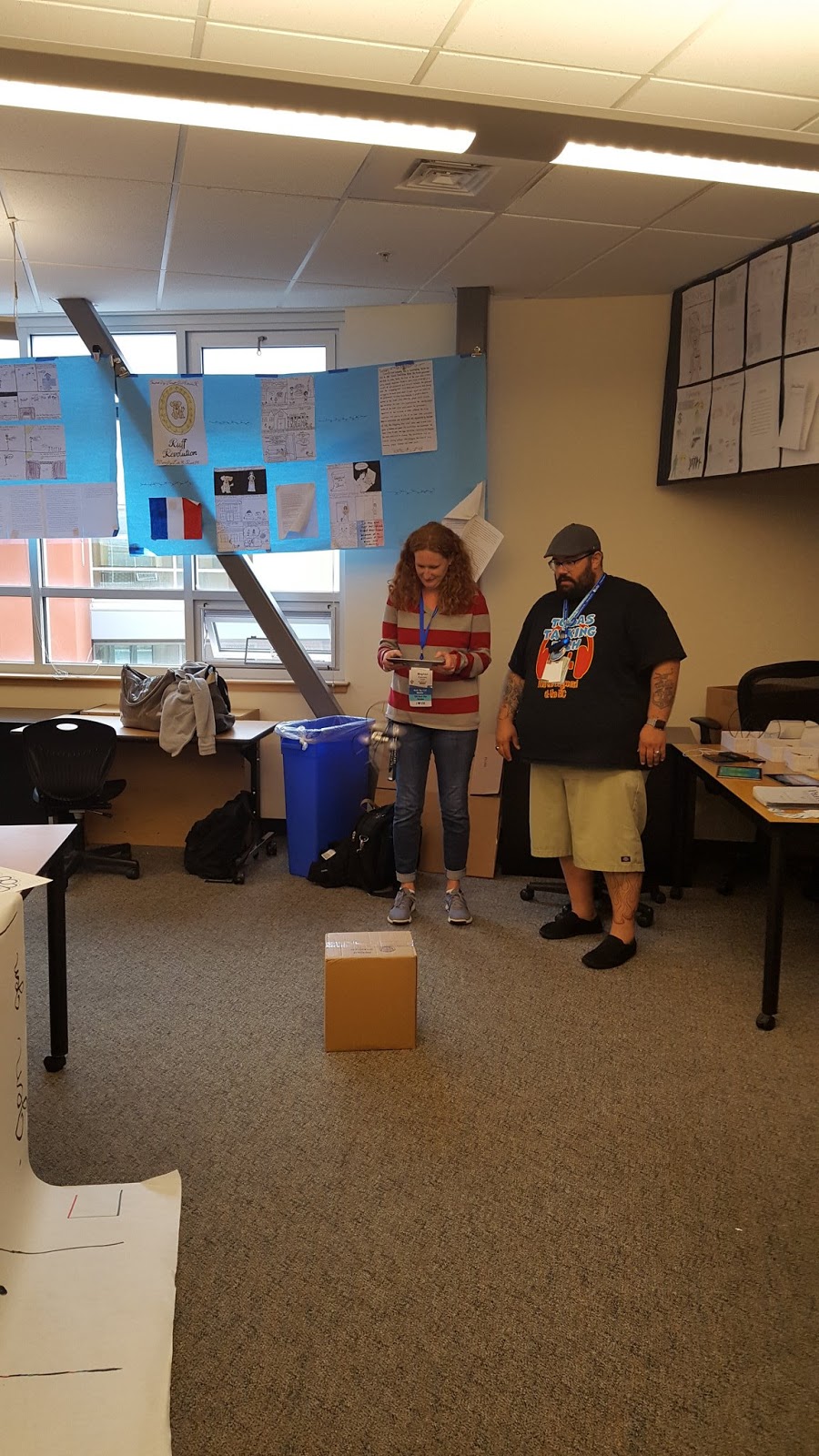
Then, it was off to the CUE STEAMpunk playground. On the way, I may have grabbed a free pastry. Teachers can never resist a free pastry. The playground included Spheros, Ozobots, Makey-Makey kits, and parrot drones. A nerdy teacher’s heaven. And a great opportunity for teachers to try out some of these essential ed tech toys.
But what was the real reason for my pilgrimage this year to Fall CUE? It was for four, eight-year olds who I had the honor of leading to the first Fall CUE Student Showcase. CUE has worked in partnership with the Orange County Office of Education to have students present STEAM or Maker focused project to the people in attendance. My students had spent months locked away during recess and lunch armed with a glue gun, some cardboard, and Spheros. They created their own interactive Sphero maze with a Greek mythology theme complete with QR codes. They rocked Fall CUE, showing teachers and administrators how to code Spheros through their maze. And they held their own, not allowing themselves to be intimidated by the robotics team at the next table who were, impressively, sponsored by NASA.

CUE is not only providing awesome, engaging, and fully relevant professional development for educators. They are putting the power of ed tech where it belongs- with the students. If you have students doing amazing things with technology or the maker movement, I highly suggest you think about helping them to apply to the next Student Powered Showcase. Check out CUE.org for more details.
It was a great two days in American Canyon. Of course, in between all of these adventures were awesome sessions put on by amazing educators. If you haven’t made your own personal pilgrimage to a CUE Conference, I highly suggest you consider it for your next professional development outing.
Sunday, July 6, 2014
Think, Wonder, and Teach - Guest Blog Post
I recently had the honor of being asked by Misty, of over at Think, Wonder, & Teach to write a letter for her series "Time to Teach."

So, I did a little reminiscing about my first 10 years (yes, I've made it a whole decade!) of teaching to impart some of the knowledge I have learned along the way for other new teachers to read. It is a great series of letters and a great blog that I highly suggest you try out.
Here is my letter:
Dear Misty,
This year I presided over my tenth year of teaching. It took a lot of blood, sweat, and tears (and maybe a little wine) to get me through. So, it seems like a good idea to reflect over this last decade by passing on some things I have learned that may be useful to you. In early June, I looked over a sea of 124 sixth graders who would soon be moving onto middle school. I wondered how time had flown so fast. How could it be ten years since the day I first stepped into my own classroom?
I have a rotten memory. Sometimes I can’t remember which kid just asked to go to the bathroom, but I do remember my first day of teaching in my own classroom. I had been hired to teach 3rd grade at a school with a great reputation and a great staff. The kids came into the classroom that morning just as excited and curious as I was. And behind them, came their parents.
All of them.
They stood in the back of my classroom with their arms crossed, like bouncers at a club, wondering if this young new teacher knew what she was doing. Two mothers even had the nerve to come and tell me that it must’ve been a mistake that their children had been placed in my class. They told me that they were on their way to the principal and their kids would likely be moving to a different teacher within the next hour. Not a confidence booster. But, as they say, I put on my big girl panties, smiled, and started my class. Regardless of how I felt on the inside, they were NOT going to see me sweat.
Which leads me into my first piece of advice for all new teachers.
Sometimes, you have to just follow the old rule of “fake it ’til you make it.” No matter how much time you have spent student teaching, grading papers, or practicing your engagement strategies, there is nothing like running your own classroom. No teacher should ever tell you that they know what they are doing 100% of the time; otherwise, they are doing it wrong. We all have days when we plaster on a big fake smile and try not to have a nervous breakdown. Just like the students in front of you, you are learning every second and every minute of every day. Some of those moments of learning will be petrifying, but just smile and know that it will pass and when you come out the other side, you will be a better teacher.
Don’t forget to be adventurous. Our society worries too much about being successful all the time. Kids are creatures of habit and sometimes fear change and are afraid to fail. I have students who have never eaten a salad, never slept away from their parents, or have never received a grade lower than an A. We can teach them to take a chance. They will watch you. Will they see someone safe, who never tries anything new? Or will they see the teacher who has fun, is a leader, and is willing to look silly or even lose at tether ball? Lead them on adventures and they will follow.
A good teacher must be dynamic. As kids change, we change. We must constantly adapt and try new things to make learning better and to engage students in their learning. Doug Robertson, known to many as “The Weird Teacher” says it well when he writes, ”Teaching is experimental theater. I don’t know if a lot of the things I try in front of my class are going to land. Some of them will fail. Some will fail hard. But that is always better than teaching the same thing in the same way for years on end.”
There will be days when you will bomb, but there will be days when the angels sing and fireworks explode. All because you tried something new. Allow yourself to crash and burn once in awhile. And when it’s over, pick yourself up, dust yourself off, and move on.
My last rule is simple. Do it your own way. Tell stories about life and what you know and the kids will thank you for it. As a student teacher and new teacher, I was most often schooled in the theory that teachers were simply presenters of pre-made information handed to us in the teaching manual of everyone’s favorite textbooks. The day I put that manual down and started doing it my own way was the day I started seeing results. They connected with me, they remembered my funny anecdotes, and they wanted to come to my class to learn. Give them something else to remember besides what was in the textbook.
You will touch hundreds, perhaps thousands of lives, during your career. Don’t just teach them. Inspire them and love them. Teach them how to win, lose, and laugh at themselves when things just don’t go their way. They will remember you. And if you do it right, they will inspire you and teach you more about yourself than you ever knew existed.
Good luck and enjoy,
Meghan

Wednesday, July 2, 2014
Pinterest Insanity - 10 Things I Can Try Now
I am sure every person on Pinterest can relate to my love/hate relationship with Pinterest. I am addicted. Everything from classroom organization to geeky stuff that makes me laugh, I cannot get enough. It is one of my favorite teaching "time sucks." The real conundrum, I pin and pin, but never follow through. I have hundreds of pins, but I have either forgotten they exist or forgotten where I put them entirely. So instead of the typical "10 things I love on Pinterest This Week" post, I am picking 10 things on Pinterest that I can commit to for the start of the new school year. So, I went through my piles of pins, and chose 10 things that I really want to try and use the first month of school.
1. Perspective Drawing - Kaja K.

Every year, I have my homeroom do an art project to start the new year, using their names. I put them up on the wall, usually around their sixth grade quote for the year. In the past few years, I have been using the spiral art using their name. It is time for something new. I love this, especially because we can also do some lessons on perspective first.
2. Team Building Activity - Tom Heck (You Tube Video)
I want my homeroom to be a team. They have their core classes in different groupings, so I want them to feel like their homeroom is their family. A place they can go where they are supported and where they have built some important relationships. We spend a lot of the first week doing team building and this is an activity I have not yet tried. All I need are a few hula hoops and bandannas. This is also great because you can do it whole class or in teams.
3. Cubby Labels with Binder Clips - Teaching With Love and Laughter

I planned to do this last year, but it never came to be. I even have the binder clips sitting in boxes waiting to be used. In my class, the kids get a cubby for their textbooks. Right now, the cubbies have stickers with numbers that match the numbers on their textbooks. The numbers are NO help to me when I am looking for a kid's stuff and I hate using stickers inside the cubbies. They wear down and then, you have to peel them off and hope that goo gone gets the rest. A total time-waster when I have other things to do to get ready for the new school year. This is just a great idea and totally removable!
4. Jelly Bracelet Groups - Creator Unknown

Sorry, whoever originally posted this picture! I tried finding the original source, but I never did. If anyone knows, leave me a comment because it is a great idea. I am always trying to find new ways to make groups and partners and this will be a good one. I would need to find about a million different colors if I wanted to make this work for partners, but it will definitely be a good one to create groups for projects.
5. Teacher Toolbox - Ms. G in Grade 3
 I HATE having some supplies in my desk, some in a cupboard, and some out for the kids in small containers. It totally makes sense just to have them all in one place AND have it accessible to the kids. It is tiring to have to go to my desk to get a kid a paperclip or ring for note cards. I want them to get their own stuff so I can spend my time helping kids. There are quite a few of these floating around on Pinterest, but I really like this one best. Some are way too busy and crazy with too much color or too many fonts. Ms. G's is perfect. I can't wait to get crafty with this project.
6. Would You Rather - dreamhomediy.blogspot.com

This link is broken, so I have not linked it here. I plan on redoing all of the questions anyhow, but I will certainly share my own with you when I finish! This is a great getting to know you game and it is really fun to ask kids to argue their side. It makes for some interesting conversations.
7. May the Forest Be With You - Poster

This quote does not seem to have an original creator, just a lot of places where you can buy it on a t-shirt or coffee mug. Not only am I a bit geeky in my tastes, but I also have a whole bulletin board dedicated to the Redwood Forest Biome. So, I will be making my own version of this and I know just where there is a space for it!
8. Notebook Quote Page for Books- Image Only

Another pin where I just couldn't track down the author. Nonetheless, a really fantastic idea. My students keep Reading Notebooks with all of their novel work. It would be really great to create a quote page where they can keep track of all the great quotes they come across in their reading.
9. Sketchnote Tips from Carol Anne McGuire

I really love Sketchnote stuff. I always go over the basics of visual note taking with my students and encourage it throughout the year. I plan to make small copies of this so that they can glue them into their notebook at the beginning of the year as a reference if they need it later.
10. Class Goal Photo or Thinglink - Photo by Stuart McIntyre
 Every year our principal asks us to create a visual of our class goals. Apparently all you need is a cardboard box and you can make this happen. I think it would be adorable to create a Thinglink with a dot over every student with their goal for the year. I will let you know if it works.
So, I challenge you too, to go through your mess of Pinterest Boards and find 5 or 10 things that you know you can plan for and implement without pulling your hair out.
1. Perspective Drawing - Kaja K.
Every year, I have my homeroom do an art project to start the new year, using their names. I put them up on the wall, usually around their sixth grade quote for the year. In the past few years, I have been using the spiral art using their name. It is time for something new. I love this, especially because we can also do some lessons on perspective first.
2. Team Building Activity - Tom Heck (You Tube Video)
I want my homeroom to be a team. They have their core classes in different groupings, so I want them to feel like their homeroom is their family. A place they can go where they are supported and where they have built some important relationships. We spend a lot of the first week doing team building and this is an activity I have not yet tried. All I need are a few hula hoops and bandannas. This is also great because you can do it whole class or in teams.
3. Cubby Labels with Binder Clips - Teaching With Love and Laughter
I planned to do this last year, but it never came to be. I even have the binder clips sitting in boxes waiting to be used. In my class, the kids get a cubby for their textbooks. Right now, the cubbies have stickers with numbers that match the numbers on their textbooks. The numbers are NO help to me when I am looking for a kid's stuff and I hate using stickers inside the cubbies. They wear down and then, you have to peel them off and hope that goo gone gets the rest. A total time-waster when I have other things to do to get ready for the new school year. This is just a great idea and totally removable!
4. Jelly Bracelet Groups - Creator Unknown
Sorry, whoever originally posted this picture! I tried finding the original source, but I never did. If anyone knows, leave me a comment because it is a great idea. I am always trying to find new ways to make groups and partners and this will be a good one. I would need to find about a million different colors if I wanted to make this work for partners, but it will definitely be a good one to create groups for projects.
5. Teacher Toolbox - Ms. G in Grade 3
6. Would You Rather - dreamhomediy.blogspot.com
This link is broken, so I have not linked it here. I plan on redoing all of the questions anyhow, but I will certainly share my own with you when I finish! This is a great getting to know you game and it is really fun to ask kids to argue their side. It makes for some interesting conversations.
7. May the Forest Be With You - Poster
This quote does not seem to have an original creator, just a lot of places where you can buy it on a t-shirt or coffee mug. Not only am I a bit geeky in my tastes, but I also have a whole bulletin board dedicated to the Redwood Forest Biome. So, I will be making my own version of this and I know just where there is a space for it!
8. Notebook Quote Page for Books- Image Only
Another pin where I just couldn't track down the author. Nonetheless, a really fantastic idea. My students keep Reading Notebooks with all of their novel work. It would be really great to create a quote page where they can keep track of all the great quotes they come across in their reading.
9. Sketchnote Tips from Carol Anne McGuire
I really love Sketchnote stuff. I always go over the basics of visual note taking with my students and encourage it throughout the year. I plan to make small copies of this so that they can glue them into their notebook at the beginning of the year as a reference if they need it later.
10. Class Goal Photo or Thinglink - Photo by Stuart McIntyre
So, I challenge you too, to go through your mess of Pinterest Boards and find 5 or 10 things that you know you can plan for and implement without pulling your hair out.
Tuesday, June 24, 2014
Tech Trick - Using Thinglink in the Classroom
I was busy, busy this year learning new technology tools, trying them out, and seeing what worked in the classroom. I LOVE anything that enhances what I already do and makes learning a little more engaging for the kids. So, when I learned about using Thinglink at a CUE Rockstar Teacher Camp, I knew instantly it was something that I could use. If you have not yet had the pleasure of attending one of these awesome camps, you should jump on board that train as soon as possible.
So first, what is Thinglink? It is a free, web-based site, where you upload a photo, then tag the photo with little icons. Each icon can become a link to anywhere! You can link to photos, video, websites, or anywhere on the web. It can then be shared or embedded into your website or blog. Here is one that I created for the Redwood Forest.
As you drag over the tags, you can see what each one represents and what type of file it links to. It is a great way to compile all of your resources on a subject into one place. Once you have created it, you can then accompany it with graphic organizers for the kids to fill out as they explore.
I can't wait for my next Thinglink. I saw this great idea on Pinterest for a group photo from Ephotozine...

So first, what is Thinglink? It is a free, web-based site, where you upload a photo, then tag the photo with little icons. Each icon can become a link to anywhere! You can link to photos, video, websites, or anywhere on the web. It can then be shared or embedded into your website or blog. Here is one that I created for the Redwood Forest.

As you drag over the tags, you can see what each one represents and what type of file it links to. It is a great way to compile all of your resources on a subject into one place. Once you have created it, you can then accompany it with graphic organizers for the kids to fill out as they explore.
I can't wait for my next Thinglink. I saw this great idea on Pinterest for a group photo from Ephotozine...
I thought it would be fun to try and recreate this using a cardboard box and my new students. Then, instead of a boring worksheet where they write their yearly goals, we put a dot on each of them and link to their goals. Then, it can be embedded into our blog or website and can easily be referred to throughout the year by the students, the parents, and me.
I highly suggest you do some playing around with Thinglink. The possibilities are endless!
Sunday, January 12, 2014
Hobbit Book Projects
It has been forever since my last post. Between teaching new subjects this year and all the after school responsibilities I have taken on, I just don't seem to have the time. But my kids turned in some great projects last week and I have never included a post about them before, I thought I would try to squeeze in a quick post.
Whenever I get a chance to read The Hobbit, we always do projects. Once, about halfway through the book and again at the end. Each set of projects is written as a learning menu where the kids have some choices about what projects they would like to complete. If you are interested in the learning menus or the entire book unit, you can check them out at my Teachers Pay Teachers store.
The final projects always come out cool. Here are some examples of The Hobbit Newspapers, ABC Books and Book Guides.


I know this post is short, but hopefully also sweet. The kids love projects like this and I hope it inspires you to come up with some of your own.
Sunday, December 1, 2013
C.U.P.S. and A.R.M.S.
I am new to teaching Writing in sixth grade. It was a subject previously taught by one of my team members, but now I am on my own. I really wanted to use something simple for my kids to use for revising and editing and it seemed like the C.U.P.S. and A.R.M.S. revising and editing was a simple enough place to start. I also wanted to make something that they could glue into their notebooks for a quick reference. Of course, I quickly hopped over to PicMonkey to create something fast and cute.

UPDATE WITH FREEBIE!!!

So far, I am still getting my feet wet when it comes to teaching writing, but the kids liked this and seemed to catch on quickly. Thought I would share my little poster with you.
UPDATE WITH FREEBIE!!!
Turns out, this little poster has become very popular on Pinterest and has received quite a few hits here on my blog. So, for those of you that would like a free, printable version, I have it linked here on my Teachers Pay Teachers store. Enjoy!
Thursday, September 5, 2013
2013-2014 6th Grade Quote
Here it is people! After much deliberation and design consideration, here is our new t-shirt and quote for the sixth graders! I am so excited and it looks great thanks to AMJ. Our new quote is...

"Do not go where the path may lead, go instead where there is no path and leave a trail." -Ralph Waldo Emerson
And although the shirts are not yet off the presses, here is our final design...
Saturday, July 27, 2013
Book Jacket Redesign
As I was going through my stacks of stuff, getting my classroom ready, I found some laminating to be cut. I realized that it was something that I had intended to blog about, but had completely forgot.
In my classroom library, I have rings that hold book jackets that were created by sixth graders. They choose the book that they most enjoyed reading throughout the year and redesign its book jacket. I do this at the end of the year, so I choose my favorites. I have quite a collection as I have done this a few times and on average, I have about 100 sixth graders each year.
We start by analyzing current book jackets. I put a pile of books out for each table group and they brainstorm a list of things that they have in common. I ask them to note what they look like and important elements that they all have. Then, we make a master list to use as a rubric. Usually it includes things like
My sixth graders this last year were awesome. I could brag about them for paragraphs. Each and every one of them was and is wonderful. I have so many awesome book jackets this year, I didn't know how to only share a few, but here they are:


 I punch a hole in the corner and put them on rings. Then I hang them up in the classroom library (pictures soon to come). So when kids have free time they can take a set of jackets on a ring to their desk and see if there are any books that they are interested in reading. Many of the reviews on the jacket are quotes from other sixth graders that also read the book. This year, my new sixth graders will get to read jackets from the last two years of sixth graders; they are often kids they have looked up to at school.
A great way to get kids interested in literature because it isn't coming from you, but from their peers.
In my classroom library, I have rings that hold book jackets that were created by sixth graders. They choose the book that they most enjoyed reading throughout the year and redesign its book jacket. I do this at the end of the year, so I choose my favorites. I have quite a collection as I have done this a few times and on average, I have about 100 sixth graders each year.
We start by analyzing current book jackets. I put a pile of books out for each table group and they brainstorm a list of things that they have in common. I ask them to note what they look like and important elements that they all have. Then, we make a master list to use as a rubric. Usually it includes things like
- a bold title
- author name
- quotes and reviews by authors or publications
- great use of graphics and colors (no white space)
My sixth graders this last year were awesome. I could brag about them for paragraphs. Each and every one of them was and is wonderful. I have so many awesome book jackets this year, I didn't know how to only share a few, but here they are:


A great way to get kids interested in literature because it isn't coming from you, but from their peers.

Friday, July 26, 2013
Class of 2014 Quote
So, I admit it. I snuck over to work today and spent some time working on my room. If I ever get it back together again, I will post pictures. I am SUPPOSED to be on vacation, but... Well, if you are a teacher, you know. As I was putting together a to-do list I realized that my team and I had not yet decided on a quote for this year's sixth grade class.
Let me explain...
A few years ago, one of my team members in 6th grade thought it would be a good idea to choose a quote for the year. Something that brings all of the sixth graders together and is sort of their "motto" for the year. Then, we design "Class Of" t-shirts with the quote on the back and we post the quote up in all of the sixth grade classrooms. Here are a few of the tshirts we have had in the past few years...
We all wear our 6th grade tshirts on Spirit Days at school and important events (like camp and playing dodgeball with the Airforce). So, here are the quotes we have used since we have started this great sixth grade tradition:
"Be the change you wish to see in the world." -Gandhi
"Be true to your work, your word, and your friend." -Thoreau
"The time is always right to do what is right." -M.L.K.
"You are braver than you believe, stronger than you seem and smarter than you think." -Christopher Robin
And as I said, I am in search for this year's quote. I have a Pinterest board just for quotes and I keep an eye out everywhere. I feel like when I find it, I will know. I am a HUGE fan of Robby Novak, so I am on the lookout for great Kid President quotes. He is so fun. I found these great posters from Shane Read Creative and I would love to design a tshirt that was a little more hip this year, like this...

Anybody out there have some good quote suggestions for the class of 2014? I would love to hear them!
Let me explain...
A few years ago, one of my team members in 6th grade thought it would be a good idea to choose a quote for the year. Something that brings all of the sixth graders together and is sort of their "motto" for the year. Then, we design "Class Of" t-shirts with the quote on the back and we post the quote up in all of the sixth grade classrooms. Here are a few of the tshirts we have had in the past few years...
 |
| t-shirt designs for 6th grade |
"Be the change you wish to see in the world." -Gandhi
"Be true to your work, your word, and your friend." -Thoreau
"The time is always right to do what is right." -M.L.K.
"You are braver than you believe, stronger than you seem and smarter than you think." -Christopher Robin
And as I said, I am in search for this year's quote. I have a Pinterest board just for quotes and I keep an eye out everywhere. I feel like when I find it, I will know. I am a HUGE fan of Robby Novak, so I am on the lookout for great Kid President quotes. He is so fun. I found these great posters from Shane Read Creative and I would love to design a tshirt that was a little more hip this year, like this...

Sunday, June 30, 2013
Using PowToon in the Classroom
Summer is my time to try out things that I am petrified to try for the first time during the school year. Today, I searched around for a new, more dynamic way to make presentations. I wanted something a little more engaging then the regular old Powerpoint or SmartBoard lesson. I did a little bit of research and decided on Powtoon.
 Why? It was free, easy to use (if you are familiar with presentation software like Powerpoint), and it was cute. Those kids love "cute" and I thought maybe they could also learn to make their own animated presentations. I am hoping it will work for not only presentations and slideshows, but also for short "flipped" videos that could be linked to websites, tweeted out, or on YouTube.
The only drawback is that it requires a flash player. So those of us who work mainly on an IPAD are out of luck. Luckily I have both a laptop and an IPAD for the classroom. The laptop is hooked up directly to my flat screen TV in the classroom, so this works fine for me. Also, instead of getting a few IPADs for my room, I decided to try out the cheaper option, which is a set of about 6 Chromebooks. So, PowToon should be a great tool for those.
First, I started with something I knew I could use right away in the classroom. I took the posters I made for our 6th grade interactive notebooks and turned the information into a short little video.
Then, as I felt like I was on a role, I tried a quick explanation of Main Idea.
It's actually addictive. At first, it takes some time to figure out how to use it. I of course always opt for the "playing around until I figure it out" option which sometimes takes a little longer than watching the tutorial. If you are familiar with PowerPoint and timing slides, then it isn't too hard. Once I got the hang of it, it went pretty quick.
It is a little limited once you get going. There were times I caught myself saying things like, "oh man, it doesn't _____?" But for something totally free, I can't really complain. Easy and fun to work with, if you are looking for animated presentation software online for your classroom.
I would love to hear what other people are using that are similar. I wish I had the time to check them all out. And if you have tried PowToon, what did you think?
Wednesday, May 22, 2013
College Week Activity - College Research and Posters
Wow. It has been a really long time since my last post, but as most people know, it is testing season. Most of my time recently has been spent preparing, giving, and then recuperating from the test. We recently celebrated college week here at my school, so I had the sixth graders work on a project in partners to learn a little more about the colleges they were interested in.
First, they had to work together to do research on the college they had chosen. We are lucky enough here to have a few IPADs that we can pass around and share, but this could totally be done in a computer lab. I gave each set of partners this worksheet to guide them.
 Then, they make posters using the information they have gathered. Here are a few of the posters my sixth graders made this year.

 When all of the posters are complete, I put them on the walls around the room. Then I give them this worksheet. They use it while they walk around the room and get information from the posters that the other students have made.

First, they had to work together to do research on the college they had chosen. We are lucky enough here to have a few IPADs that we can pass around and share, but this could totally be done in a computer lab. I gave each set of partners this worksheet to guide them.


Sunday, March 31, 2013
Released Test Questions - California Standards Test
I am just like you. Every year, just about this time, my sixth grade students and I start the long arduous process of going over the California Released Test Questions for the CST. But I knew that somehow this year, I was going to have to mix things up a bit. As many of you, I also saw the "I Choose 'C'" video that has spread across YouTube (made by an 8th grader, by the way). So, I showed it to them. When that many kids in a room identify with something like that, you know it is time for a shake-up.
My students are great test takers. Sometimes I wonder if they are too good. I noticed that many of them were going through the motions while we were analyzing similar questions during the year, so this year I tried something new. In honor of the new Common Core and in honor of making these kids use their brains again, I took the California Released Test Questions and eliminated their choices. Yes, you read correctly. I took the choices away. Well, I did leave a few choices, due to the fact that it is just necessary for some of the released questions. Now, my students MUST answer them first without options A, B, C, or D. It forces them to go find the evidence from the text, not just play the elimination game with the four options. When I have given everyone time to answer the questions and discuss them in groups, only then do I allow them to choose their options. I have put the choices into a PowerPoint and they use what they wrote, highlighted and underlined to make a choice.
What have I learned from this little experiment? My kids have all the knowledge they need in their heads, but if they can find a shortcut to avoid using it, they will. Now, they are having great discussions and they are finding and sharing things they weren't before. I am getting more out of our time we spend going over the released test questions then I was before. And of course, it was important to get feedback from my kids. An easy majority of them said that it was better this way. They said it was easier, not to so much confusion about second guessing their answers. I am getting real information about what standards they are more comfortable with and where we should spend a few minutes reviewing or revisiting. This is not for everyone and it does take time. But isn't this where common core is heading anyhow? Finding justifications in the text? Writing out answers and synthesizing the information presented? I can easily say that I am glad I took a chance and tried this out.
I would love to hear your strategies for covering Released Test Questions! What are you doing to make them more engaging and how do you keep your kids thinking, not just test taking?
My students are great test takers. Sometimes I wonder if they are too good. I noticed that many of them were going through the motions while we were analyzing similar questions during the year, so this year I tried something new. In honor of the new Common Core and in honor of making these kids use their brains again, I took the California Released Test Questions and eliminated their choices. Yes, you read correctly. I took the choices away. Well, I did leave a few choices, due to the fact that it is just necessary for some of the released questions. Now, my students MUST answer them first without options A, B, C, or D. It forces them to go find the evidence from the text, not just play the elimination game with the four options. When I have given everyone time to answer the questions and discuss them in groups, only then do I allow them to choose their options. I have put the choices into a PowerPoint and they use what they wrote, highlighted and underlined to make a choice.
 |
| Analyzing Released Test Questions "More Than A Niece" |
 |
| Analyzing Released Test Questions "Water Picture" |
What have I learned from this little experiment? My kids have all the knowledge they need in their heads, but if they can find a shortcut to avoid using it, they will. Now, they are having great discussions and they are finding and sharing things they weren't before. I am getting more out of our time we spend going over the released test questions then I was before. And of course, it was important to get feedback from my kids. An easy majority of them said that it was better this way. They said it was easier, not to so much confusion about second guessing their answers. I am getting real information about what standards they are more comfortable with and where we should spend a few minutes reviewing or revisiting. This is not for everyone and it does take time. But isn't this where common core is heading anyhow? Finding justifications in the text? Writing out answers and synthesizing the information presented? I can easily say that I am glad I took a chance and tried this out.
I would love to hear your strategies for covering Released Test Questions! What are you doing to make them more engaging and how do you keep your kids thinking, not just test taking?
Wednesday, March 13, 2013
Creating a Field Guide in the Classroom
As our final project for the Redwood Forest, the students make their own field guides. When they are done, I laminate them and they can take the field guides to camp. It is a great activity that incorporates note taking, research, non-linguistic representation, and a little creativity. Here is the process if you want to make a field guide with your students...
The first thing my students do is spend time taking notes on the species of the forest. They used a combination of resources that included pamphlets, other field guides, and the internet. They put these notes in their interactive notebooks so they can also use them on their test.
When they are finished, we check them over for mistakes, and then they are ready to start the final product!
First, they copy their notes into pre-made boxes. This is so they don't run out of room on their final piece of card stock and if they make a mistake, they can just get a new box, instead of starting their project all over.
Then, they get pictures of all the species that are included in their field guide. I spend A LOT of time on Google images to find black and white pictures or line drawings of all of these plants, trees, and animals. They are required to color the plants and animals the correct colors.
Once they have done their boxes and pictures, they are ready to cut and glue. I give them a piece of white card stock. It tends to hold up a lot better than just plain white construction paper. When they are all done, I like to laminate them just in case it rains at camp :) Here are some examples of the finished products...
This can be done for any biome or ecosystem project. It could even just include species that you find around your school or in your neighborhood. They love making them and love taking them out in the field even more!
 |
| field guide notes in interactive notebook |
The first thing my students do is spend time taking notes on the species of the forest. They used a combination of resources that included pamphlets, other field guides, and the internet. They put these notes in their interactive notebooks so they can also use them on their test.
When they are finished, we check them over for mistakes, and then they are ready to start the final product!
First, they copy their notes into pre-made boxes. This is so they don't run out of room on their final piece of card stock and if they make a mistake, they can just get a new box, instead of starting their project all over.
 |
| boxes for field guide notes |
 |
| field guide pictures |
 |
| front cover of field guide |
 |
| inside of field guide |
Saturday, March 9, 2013
Interactive Notebook Posters
This is a work in progress but I thought I would share now as people are making plans for next year already (really?). After years of doing interactive notebooks, I wanted to make a series of posters that I could put up in the classroom as a reference for the kids. They have a rubric in their notebook to guide them, but sometimes having them on the wall is much better for those who need the visual reminder. Notebooks are more effective for you and your students if you have a clear rubric and set of requirements laying out what you expect.


My goal is to get them into dollar store frames and hang them right above the white board. I did them in Powerpoint so that I can use it as a presentation for next year (on my new IPAD and Apple TV system!). I am also working on something to send home to parents as well. Of course, interactive notebook requirements are different for everyone, but I would say pick and choose what works for you and incorporate what you like for your class.
 |
| Interactive notebook - organization |
 |
| Interactive notebook - table of contents |
 |
| Interactive notebook - headings and titles |


My goal is to get them into dollar store frames and hang them right above the white board. I did them in Powerpoint so that I can use it as a presentation for next year (on my new IPAD and Apple TV system!). I am also working on something to send home to parents as well. Of course, interactive notebook requirements are different for everyone, but I would say pick and choose what works for you and incorporate what you like for your class.
Subscribe to:
Posts (Atom)